InfoLens Voice
A live voice translator in your pocket
Say something in your language and InfoLens Voice says it in another, in real time. It speaks more than 100 languages, so it can help when you travel, meet someone new or need a quick translation.
★ 5.0 on Google Play from 648 reviews · 10K+ downloads · Free to download
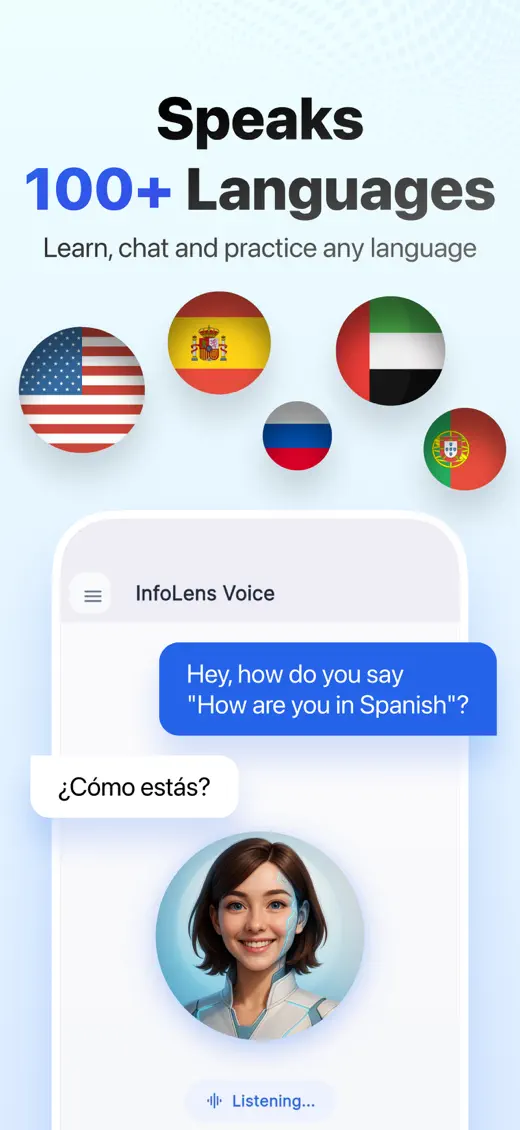
How to translate as you speak
- Open InfoLens Voice and ask it to translate, for example “Translate everything I say into Spanish.”
- Speak naturally and listen to the translation.
- Ask it to repeat, slow down or explain a phrase.
- Use Live View to translate signs and menus through your camera.
Questions to try
- How do I say “Where is the train station?” in Italian?
- Translate what I say into Portuguese
- What does this menu say? (with Live View)
- How do I say thank you politely in Japanese?
- Repeat that more slowly, please
Good to know
- Translation works best in a quiet place with clear speech.
- Check important details, such as addresses, times and prices, in writing.
- For medical, legal or official conversations, use a professional interpreter.
Common questions
How many languages does it translate?
More than 100.
Can it translate a menu or sign?
Yes. Use Live View or Show Me to share what your camera sees and ask for a translation.
Can it replace an interpreter?
No. It is great for everyday conversations, but use a professional interpreter for medical, legal or official matters.
Is InfoLens Voice free?
Yes. It is free to download on iPhone and Android, and in-app purchases are available.
More ways to use InfoLens Voice
English
Practice speaking English with AI
Build speaking confidence with natural conversation practice at your own pace.
Languages
AI conversation practice
Practice Spanish, French, Japanese or another language by talking, not typing.
Company
An AI friend to talk to
A friendly voice to chat with about your day, your ideas or your plans.
Travel with a translator
Free to download on iPhone and Android.