InfoLens Med
Blood test results explained
Blood test reports are full of abbreviations, numbers and reference ranges. Upload yours to InfoLens Med and it explains each section in plain language, so you know what to ask your doctor.
Free to download · Available on iPhone from the App Store
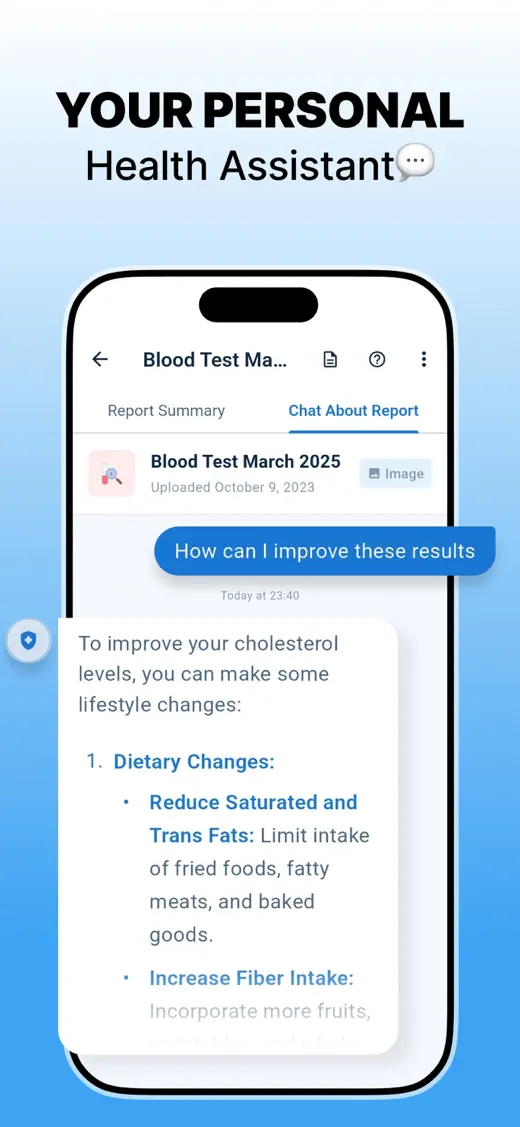
How InfoLens Med explains your blood test
- Upload a photo or PDF of your blood test report.
- Read a plain-language summary of each section.
- See which values fall outside the reference ranges printed on your report.
- Ask follow-up questions and note what to discuss with your doctor.
Questions to try
- What does ALT mean on my report?
- Which of my results are outside the range on my report?
- What is HbA1c?
- How do these results compare with my last test?
- What should I ask my doctor about these results?
What’s usually on a blood test report
- Test names, often abbreviated, such as Hb (hemoglobin), WBC (white blood cells), ALT (a liver enzyme) or HbA1c (average blood sugar over recent months).
- Your result for each test, with its unit of measurement.
- A reference range: the range the lab expects for most healthy people. Ranges differ between labs.
- Flags such as H (high) or L (low) when a result is outside the lab’s range.
A result outside the range does not always mean something is wrong. Your doctor interprets results alongside your symptoms and health history.
Sources: How to understand your lab results (MedlinePlus, US National Library of Medicine) and Blood tests (NHS, UK).
Good to know
- InfoLens Med works from the values and reference ranges printed on your report. Ranges vary between labs.
- A clear, flat photo or the original PDF gives the most accurate reading.
- AI explanations can be incomplete or wrong. Check anything important with your doctor.
InfoLens Med explains your report for general education. It does not diagnose conditions or recommend treatment. Talk to your doctor about your results, and in an emergency call your local emergency number. Read our medical disclaimer.
Common questions
Can InfoLens Med tell me if my results are normal?
It shows which values fall outside the reference ranges printed on your report and explains what each test measures. Only your doctor can tell you what your results mean for your health.
Which reports does it work with?
Blood tests and other lab results, imaging summaries and other medical reports, as a PDF or a photo.
Does it work with reports from other countries?
Yes. It works from the units and reference ranges printed on your report, so reports from different labs and countries can be explained.
More ways to use InfoLens Med
Cholesterol
Cholesterol results explained
See what LDL, HDL, triglycerides and total cholesterol refer to on your report.
Blood count
Full blood count explained
Understand the red cell, white cell and platelet sections of a full blood count (CBC).
Thyroid
Thyroid test results explained
Find out what TSH, T4 and T3 mean on a thyroid function report.
Understand your next blood test
Free to download on iPhone.