InfoLens Image Identifier
Read text from an image
Image Identifier reads the text in a photo or screenshot and lets you work with it: ask questions, get a summary, pull out key details or turn a receipt into a list.
★ 4.2 on Google Play from 811 reviews · 50K+ downloads · Free to download
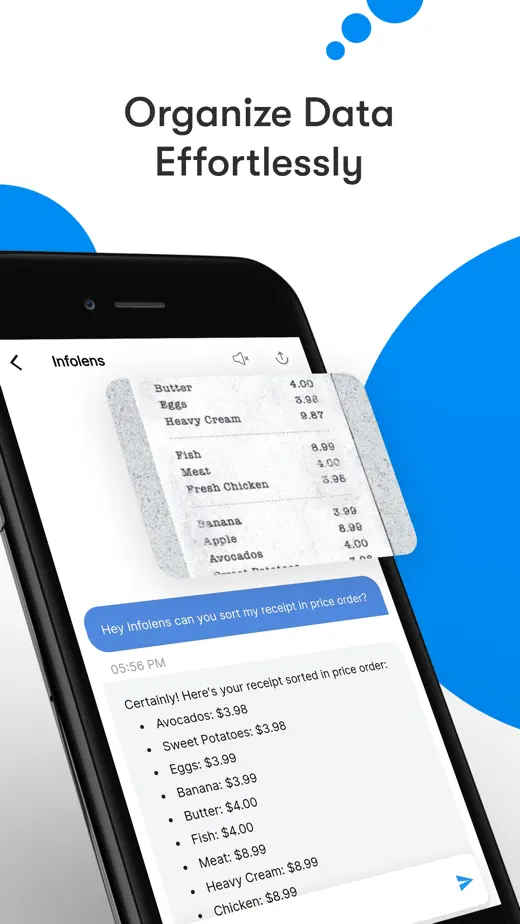
How to turn a picture into useful text
- Photograph the page, receipt or screen, flat and in good light.
- Ask for what you need, such as “Summarize this letter” or “List the items on this receipt”.
- Ask follow-ups to find dates, amounts, names or next steps.
Questions to try
- Summarize this letter in three bullet points
- List every item and price on this receipt
- What is the deadline in this document?
- Explain this paragraph in simpler words
- What does this contract say about working from home?
Good to know
- Clear, flat, well-lit photos give the best results.
- Check important numbers, dates and names against the original document.
- Image Identifier explains documents in general terms and is not legal or financial advice.
Common questions
Can it read handwriting?
It can read clear handwriting in many cases. To turn pages of handwritten notes into editable text, try our Handwriting to Text Converter app on the download page.
Does it work with screenshots?
Yes. Upload a screenshot from your gallery and ask about it.
Is it free?
Image Identifier is free to download on iPhone and Android, and in-app purchases are available.
More ways to use Image Identifier
Plants
Identify a plant from a photo
Snap a leaf, flower or tree and get its likely name, then ask how to look after it.
Objects
Identify an object from a photo
Find out what an unfamiliar object, gadget or part is and what it is used for.
Translation
Translate text in a photo
Point your camera at a menu, sign or label and read it in your own language.
Make sense of any page
Free to download on iPhone and Android.